zed.0xff.me
bReader - Читалка цитатников, которая экономит ваше время и трафик

Особенные уникальности:
- Поддержка картинок (xkcd, bash, что-то еще)
- Цитаты обновляются через выделенный сервер обновлений, что:
- гораздо быстрее, чем парсить HTML/XML на устройстве
- экономит трафик, сжимая его и не загружая повторно то, что уже загружено
- ВСЕ цитатники обновляются одним запросом, 2-3 секунды – и у вас уже 200 новых цитат
- Все цитаты образуют единую ленту, но при желании можно читать любой цитатник отдельно.
- Интеграция с твиттером (ну как без него) + все урлы жмутся через bit.ly, так что в один твит влезет больше полезного текста.
- Читалка изначально заряжена 512-ю цитатами, так что даже в глуши без Интернета будет что почитать.
Изначально решил писать свою читалку потому что:
- надоело ждать когда уже одна небезызвестная читалка распарсит все свои источники
- при этом она еще и модальным окном загрузки все закрывает, хотя можно было бы и дать юзеру почитать то что есть, пока новое грузится
- в случае зависания сети/сайта/хз чего – висла вся программа, целиком и полностью
- некоторые цитатники (sramu.net) в RSS и на главной цитаты отдают не целиком, а половинку со ссылкой “читать дальше” – хотелось все-таки такие цитатники тоже читать нормально и без лишних кликов
- ну и комиксы тоже интересно было чтоб были
Немного технических фактов
- итого на написание ушло полгода
- сам читаю цитатники каждый день
- AppStore аналогичное мое приложение отклонил, сволочь
- backend: nginx, ruby, Sinatra, memcached
- хостинг: Amazon EC2 small instance
- IDE: VIM, rake
Все цитатники: (38шт)
| QDB | bash.org (English) |
|---|---|
| bash.altlinux.org | ALT Linux Fortunator |
| bash.org.by | Цитатник Байнета |
| bash.org.ru | Цитатник Рунета |
| bash.org.ru комикс | комиксы по мотивам цитат |
| besit2.ru | если накипело… |
| bezdna.su | Лучшие цитаты из Бездны |
| comicsbook.ru | FFFuuu, trollface, forever alone, okay и другие комиксы. |
| delonevtebe.ru | Дело не в тебе | Неудачные свидания |
| det.org.ru | говорят дети |
| greatwords.ru | Великие слова — цитаты, афоризмы, высказывания |
| hatewall.ru | стена ненависти |
| ibash.org.ru | Новый цитатник Рунета |
| inwebwetrust комикс | Комиксы об Интернете |
| ipfw.ru | Цитатник канала #FreeBSD@RusNET |
| ithappens.ru | Клиент и саппорт. Разработчик и заказчик. Программист и программа. |
| killmepls.ru | Килл Ми Плз: Жизнь. Вид сзади. |
| kstatida.ru | Короткие полезные советы, основанные на личном жизненном опыте, иногда печальном. |
| la2bash.ru | Lineage 2 беседка |
| lorquotes.ru | Latest fortunes from Linux.Org.Ru. |
| nefart.ru | Вот такой не фарт! |
| nextjoke.net | Самые смешные шутки |
| pinator.org | Краткие мотивирующие высказывания |
| pip.ec | Сегодня был ППЦ |
| polniyp.me | Полный П! |
| psyhumor.ru | Психологи шутят |
| shortiki.com | короткие и смешные |
| sramu.net | постыдные истории, рассказанные реальными людьми |
| ukrbash.org | УкрБаш — український цитатник |
| wgbash.org | World of Tanks |
| wumocomicstrip.com | Wumo by Wulff & Morgenthaler – a commentary on life |
| xkcd.com | A webcomic of romance, sarcasm, math, and language. |
| xkcd.ru | xkcd по-русски |
| zadolba.li | задолба!ли |
| жж ellustrator | ЖЖ: Картинки здесь! |
| жж pirozhki-ru | ЖЖ: Пирожковая |
| жж poroshki | ЖЖ: Порошки: кристаллизованная поэзия |
| жж ru-comicstrip | ЖЖ: комиксы на русском |
Скриншотики


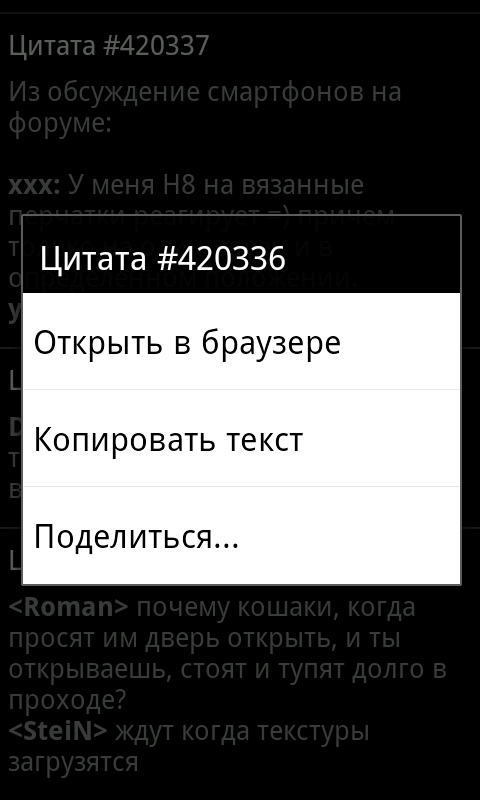
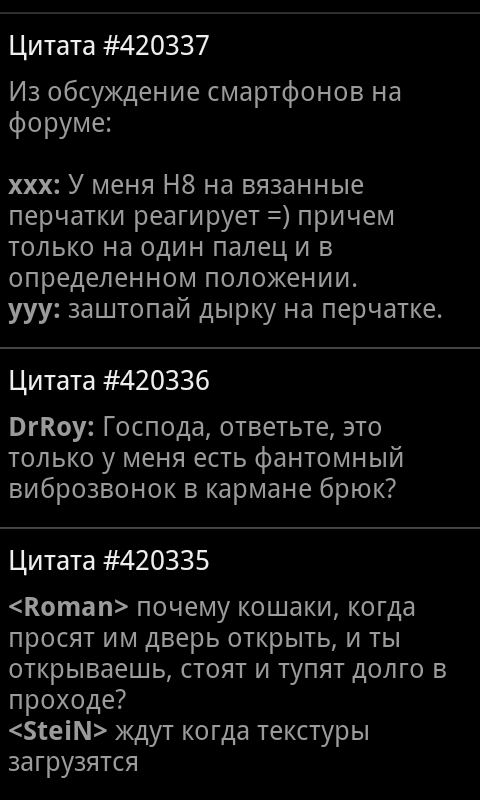
Скачать
Android Alchemy 2.0 new features & elements
Features
- 10 new elements (380 total)
- optimizations for tablet devices
- profiles support
- workspace contents is now saved between game sessions
- performance improvements
New elements
 |
chocolate |
 |
hot chocolate |
 |
e-book |
 |
beetroot |
 |
borscht |
 |
crop circles |
 |
woman |
 |
mermaid |
 |
baby |
 |
Transformers |
Expecting class path separator ':' before '{' in argument number 1
1 2 |
BUILD FAILED
/path/to/add-proguard-release.xml:35: Expecting class path separator ':' before '{' in argument number 1
|
How to fix (method #1)
add following line to your default.properties file:
1 |
external.libs.dir=libs |
How to fix (method #2)
edit add-proguard-release.xml and replace
1 |
<pathelement path="${external.libs.dir}"/>
|
with
1 |
<!--pathelement path="${external.libs.dir}"/-->
|
Alchemy 1.9 new elements
| Australia | Австралия |
| China | Китай |
| clock | часы |
| dog | собака |
| Egypt | Египет |
| Finland | Финляндия |
| France | Франция |
| Germany | Германия |
| Iceland | Исландия |
| India | Индия |
| Italy | Италия |
| Japan | Япония |
| kangaroo | кенгуру |
| kilt | килт |
| Mexico | Мексика |
| planet | планета |
| Romania | Румыния |
| Russia | Россия |
| salo | сало |
| Saudi Arabia | Саудовская Аравия |
| sauna | сауна |
| Scotland | Шотландия |
| swiss army knife | швейцарский нож |
| Switzerland | Швейцария |
| Transylvania | Трансильвания |
| Ukraine | Украина |
| United Kingdom | Великобритания |
| USA | США |
| Venice | Венеция |
| wolf | волк |
please DO NOT post a lists of elements and/or combinations in the comments below. Thank you!
потискал Samsung Galaxy Tab :)

Сегодня потискал андроид-планшет Samsung Galaxy Tab..
Первое впечатление: тяжёленький какой.. o_o
Второе впечатление: офигеть какое тут разрешение экрана!! O_O – WSVGA (1024×600)
Итак, плюсы:
- Достаточно ладно сделан, ничего не люфтит, не скрипит. Очень цельный дизайн.
- Аккумулятор на 4000mAh.. пара человек до меня мучали железку в течение 2-3 дней (но не очень сильно мучали), и аккум всё еще заряжен на 90% :)
- 16 гигов встроенной памяти
- оочень приятное разрешение 1024×600
Ну и минусы:
- Как я уже сказал он непривычно тяжелый, мне лично держать его слегка дискомфортно.
- Второй минус – в нем пока нет маркета. Маркет тупо закрывается и не дает ничего ставить.
- Третий минус – с большой вероятностью графические приложения, в т.ч. всякие игрушки будут вести себя при запуске также как и маркет, т.е. аварийно завершаться.. по крайней мере одна популярная игрушка (не моя) так себя на нем и повела..
- Ожидаемая цена в районе 40 т.р. o_O
Android Alchemy install links
Click this from your Android device’s browser.
Or use following QR code:
Android Pascal is now opensource!
I just created a github repo with my Android Pascal sources !
Feel free to contribute! :)
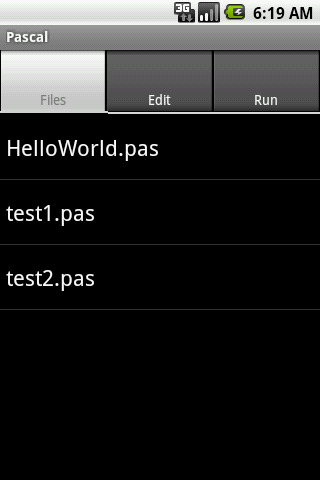
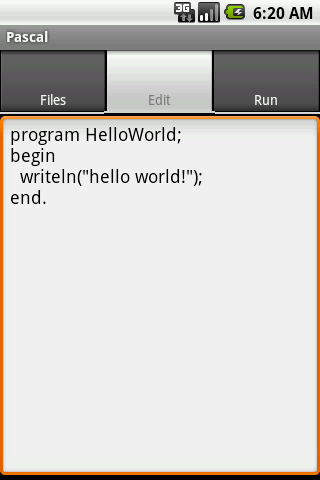
You can download APK from github downloads page.
(QR for Android Market)
new elements in Alchemy 1.8 // новые элементы в Алхимии 1.8
| aluminium | алюминий |
| bow | лук |
| cat | кот |
| continent | континент |
| country | страна |
| Fabergé egg | Яйца Фаберже |
| fugu | фугу |
| Ghostbusters | Охотники за привидениями |
| ice | лёд |
| jedi | джедай |
| juice | сок |
| lawn mower | газонокосилка |
| Mentos | Ментос |
| mirror | зеркало |
| Moon | Луна |
| mouse | мышь |
| mummy | мумия |
| old man | старик |
| perfume | духи |
| Robin Hood | Робин Гуд |
| Santa Claus | Дед Мороз |
| Sex and the City | Секс в большом городе |
| silver | серебро |
| sith | ситх |
| Star Wars | Звёздные войны |
| sunflower | подсолнух |
| The Beatles | Битлз |
| tractor | трактор |
upd: please DO NOT post a lists of elements and/or combinations in the comments below. Thank you!
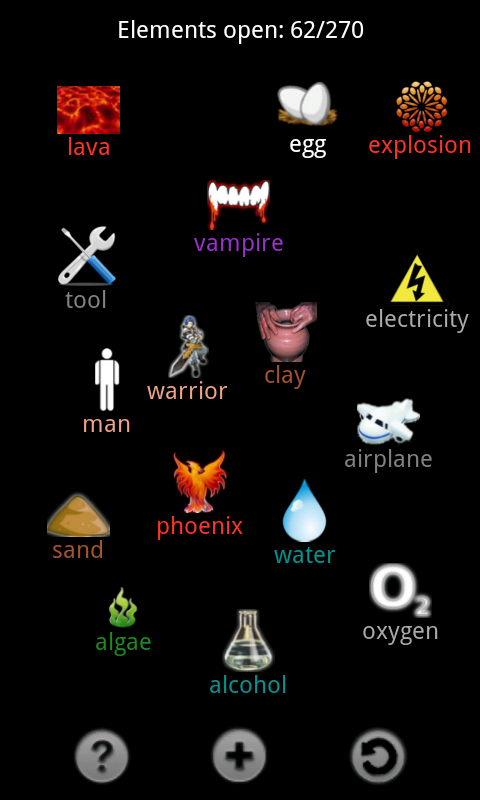
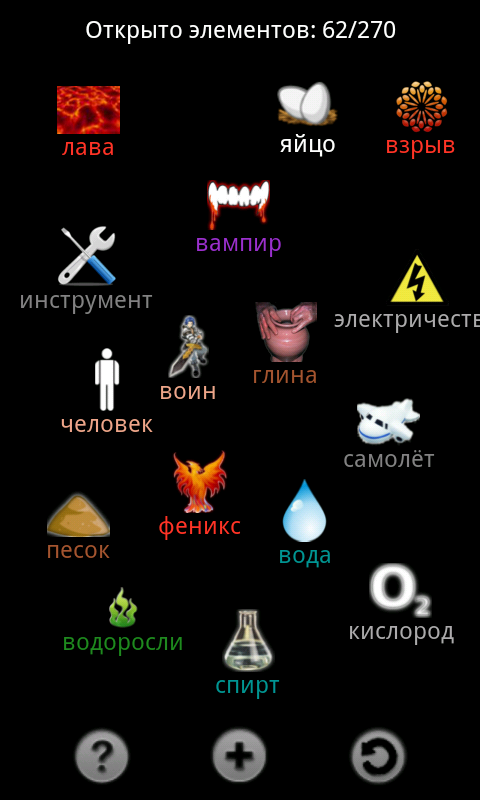
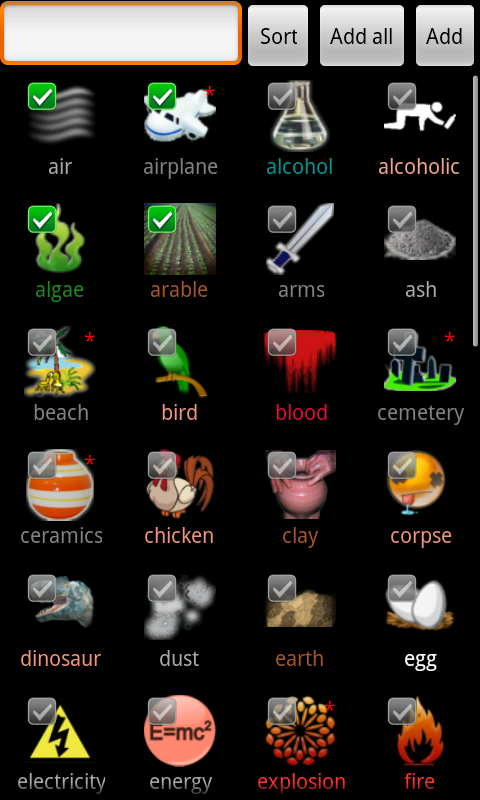


Android Alchemy
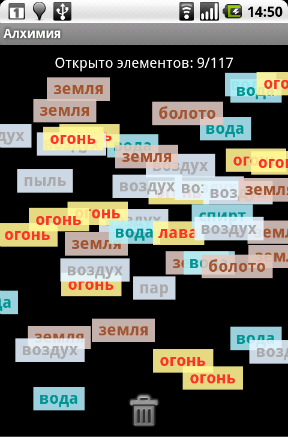
по мотивам Алхимии 0.3
на первую версию ушла почти неделя “грязного” (т.е. свободного от работы и активного отдыха) времени
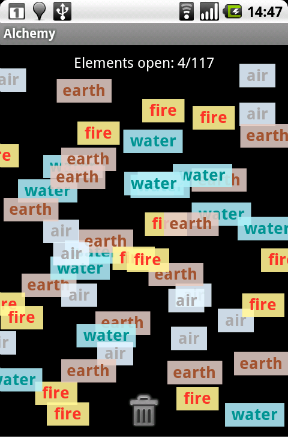
игровой процесс заключается в перетаскивании элементов друг на друга и получении при этом новых элементов
(например: огонь+земля=лава)
цель: открыть все 117 элементов
QR:
ссылка на androlib: Android Alchemy
upd: в Сети начинают появляться положительные отзывы: android.mak-sim.ru :)
переносим контакты с SonyEricsson'а на андроид
(работает на любом(?) SyncML-совместимом телефоне, т.е. как минимум на всех SE-шках, выпущенных c 2005 года)
To set up Google Sync on a Sony Ericsson W800i phone, please follow these steps:
- Click the ‘Menu’ key and open the ‘Organizer’.
- Select ‘Synchronization’.
- Select ‘New Account’ and enter ‘Google Sync’ or any name of your choice.
- Enter the following values:
- Server address: https://m.google.com/syncml
- Username: your Google Account username, e.g. you@googlemail.com
- Password: your Google password
- Connection: select the Internet access point for your carrier
- Applications: mark ‘Contacts’ only and click ‘OK’
- App. settings: open ‘Contacts’ and for ‘Database name’ enter ‘contacts’ (lower case), leave other fields blank
- Sync. interval: choose how frequently you would like to synchronize with Google
- Leave other settings unchanged
- Click ‘Save’ to exit this screen and save your Sync profile.
- Highlight your new Sync profile and press ‘Start’.
и вуаля – все наши контакты в гмыле! ^___^
проверено на SonyEricsson k790i.